
Computing

The Subject Leader for Computing is Mrs Mashiter.
The lead for online safety is Miss Taylor & Mr Thackway, the Headteacher and Designated Senior Lead.
If you have any concerns or questions about safety online, please visit the 'Keeping Safe' area of our website.
Computing Curriculum Overview
Computing Curriculum Statement
Intent
Our Computing curriculum is designed to address the specific context of our cohort, which includes above-average levels of Pupil Premium and SEND. While our pupils are increasingly tech-savvy with growing access to devices at home, our primary goal is to transition them from passive consumers of technology to safe, critical, and creative creators.
Key Curriculum Decisions:
- Core Structure: We have adopted the Teach Computing scheme (National Centre for Computing Education). We chose this DfE-recognised curriculum because it provides a rigorous, spiral progression of skills that ensures comprehensive coverage of the National Curriculum. It provides a consistent pedagogical approach that supports our learners' transition to secondary education.
- Online Safety: Recognising the complexities of the modern digital landscape, we supplement our core learning with Project Evolve. This allows us to make data-driven decisions, delivering bespoke online safety units that address the specific, evolving needs of each cohort.
Ambition for All: We are committed to digital inclusion. We aim for every child, regardless of need or background, to leave us as an independent user capable of navigating adult life. Our key concepts focus on:
- Digital Responsibility: Navigating the online world safely.
- Critical Literacy: Using search functions effectively and identifying misinformation (including fake news and AI-generated content).
- Creative Application: The ability to select, use, and combine software with real purpose.
Implementation
Our implementation strategy focuses heavily on removing barriers to learning and empowering our staff.
Pedagogy and Inclusion:
- Adaptive Teaching: We have made specific hardware investments to support our high levels of SEND. We utilise class sets of iPads and specifically selected Chromebooks with touchscreen capability. This decision was made to ensure pupils with fine motor difficulties can access the curriculum alongside their peers without barriers.
- Scaffolding: Lessons are scaffolded to reduce cognitive load, ensuring accessible entry points for all learners. Where possible, we deploy two adults in the classroom during computing sessions to facilitate immediate feedback and support practical tasks.
Staff Development:
- We prioritise teacher confidence in a technical subject. Our staff receive implementation training and have access to ongoing CPD via the Teach Computing platform.
- We protect time for teachers to access these resources.
- Support is layered through subject leader monitoring and coaching sessions, ensuring non-specialists feel equipped to deliver high-quality instruction.
Impact
The impact of our curriculum is that pupils are digitally literate, safe, and ready for the next stage of their education.
Measuring Success:
- Outcomes: We monitor progress through the sampling of digital portfolios and regular low-stakes quizzing. This allows us to see if children are retaining key concepts over time.
- Adaptive Assessment: We measure success against specific unit objectives. Crucially, assessment data is used formatively; it directly informs adaptations for future planning, ensuring that gaps are closed for our SEND and Pupil Premium learners.
- Real-world Readiness: Our pupils leave with the ability to critically evaluate the digital world, distinguishing between real and artificial content, and possessing the foundations required to thrive in a digital secondary school environment.
Online Safety for Parents - Great Links and Information
If you couldn't make it to our Safer Internet Day after school, we have posted some great links to some of the information provided.
Remember if you ever need to speak to a member of staff regarding your or your child's online safety do not hesitate to contact us.
Coding at Grange Primary School
Two out of the four main aims for the computing curriculum focuses on coding (these are outlined below). At Grange, we have a wide variety of hardware and software to give our pupils experience of applying their knowledge of coding skills.
- can understand and apply the fundamental principles and concepts of computer science, including abstraction, logic, algorithms and data representation
- can analyse problems in computational terms, and have repeated practical experience of writing computer programs in order to solve such problems
Examples of software used to enhance our coding curriculum:
Hopscotch
Scratch
Swift Playgrounds
Tickle
WeDo 2.0
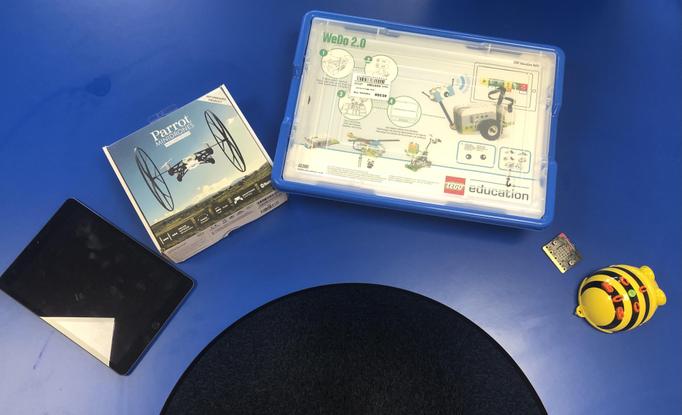
Examples of hardware used to enhance our coding curriculum:
Drones - KS2
BeeBots - KS1 and lower KS2
Lego WeDo 2.0 kits - KS2
BBC Microbit. - KS2
iPads - KS1 & KS2
Online Safety at Grange Primary School
At Grange, online safety is given a high level of importance. Online safety is one of the core elements of the computing curriculum (see target below). Online safety is taught discreetly across all year groups and is also taught through our PSHE curriculum. We want all of our pupils to be confident, conscientious, and safe users of technology.
- children are responsible, competent, confident and creative users of information and communication technology
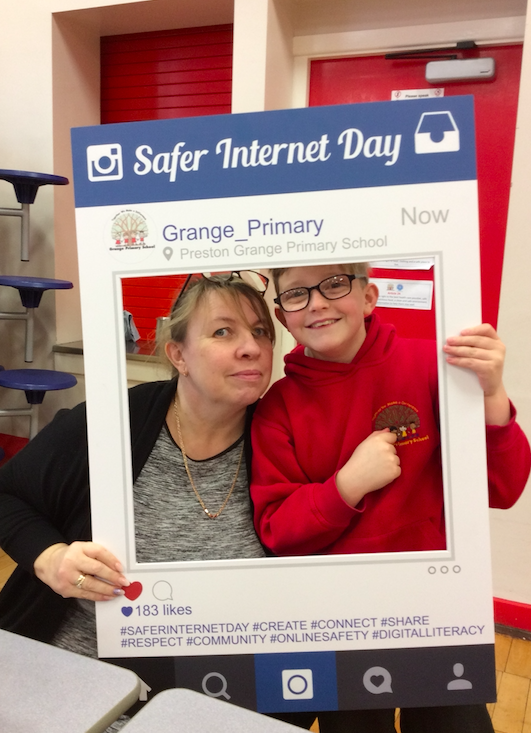
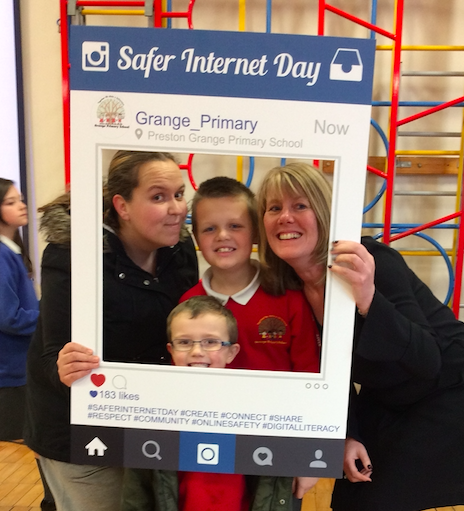
Below are some images of one of our most recent online safety events which involved teachers, pupils, parents, and members of our community.
In 2021 we will be using the resources from Project Evolve curriculum created by SWGFL. We have decided to implement this at Grange Primary School to ensure coherent and sustained progression throughout school.
Find out more about Project Evolve here:
https://projectevolve.co.uk/about/


Computing in the wider curriculum at Grange Primary School
One of the main aims of the Computing National Curriculum is for pupils to use and apply their understanding of key computing skills to solve problems (see target below). Therefore we encourage the use of ICT across all curriculum areas.
- can evaluate and apply information technology, including new or unfamiliar technologies, analytically to solve problems\
Here are some fantastic examples of children using to technology to problem solve and enhance learning:
Computing Programme of Study KS1 & KS2
Aims
The national curriculum for computing aims to ensure that all pupils:
- can understand and apply the fundamental principles and concepts of computer science, including abstraction, logic, algorithms and data representation
- can analyse problems in computational terms, and have repeated practical experience of writing computer programs in order to solve such problems
- can evaluate and apply information technology, including new or unfamiliar technologies, analytically to solve problems
- are responsible, competent, confident and creative users of information and communication technology
The full programme of study, including the purpose of study, can be found by following the link below: